To accept the invitation (for coordinator, speaker, moderator) steps are as follows:
- Click on button ‘here’ in the email received
In case email was not received, please check SPAM box or follow the instructions below. - Log in to EURegionsWeek platform using EU Login
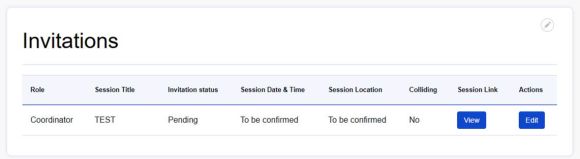
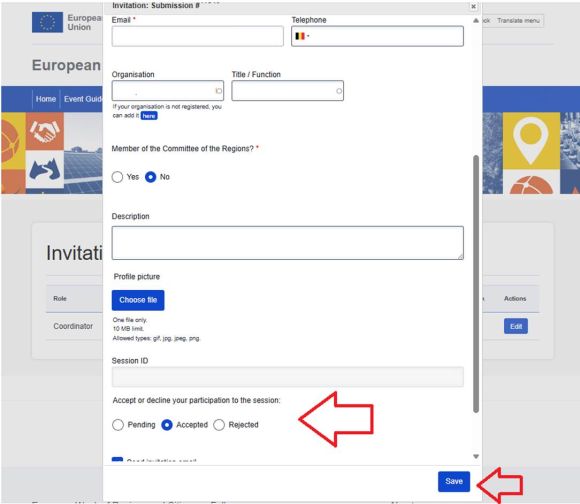
- A screen with INVITATIONS will appear – click on EDIT in ACTIONS
- A pop up window will appear. You need to scroll down to following box, tick ACCEPT and click on SAVE button
In any case invitation email cannot be found you can still:
- log in to the EURegionsWeek platform using EU Login
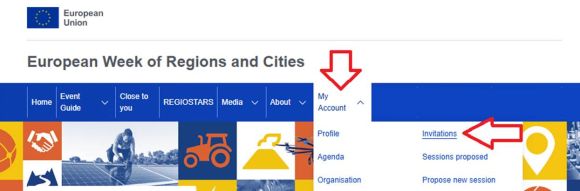
- hover over ‘MY ACCOUNT’ to see the drop down menu
- and choose ‘INVITATIONS’ section. It will take you to screen 3. from the steps above.