In order to attend the event, you must register to one or more sessions.
Registration to the event is mandatory. Onsite access to the venue can be granted only based on a valid online registration.
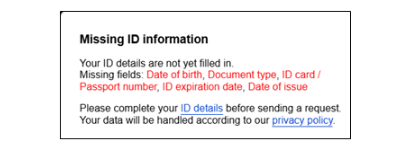
Registration is considered complete only once the user profile has been fully completed (including your ID details) in the event platform, including all required personal data via EU Login. This concerns sessions coordinators, speakers, moderators and all participants.
Registrations are done on a first-come-first-served basis. Please keep in mind that the capacity of the rooms is limited.
Once you register to a session, it will appear in Agenda tab in My Account.
If you cannot attend a session anymore, please cancel your registration to release the spot for another participant.
The deadline for registration is 30 September.
Steps to register:
Log in
Click on Login/Register in the top right corner of the homepage.
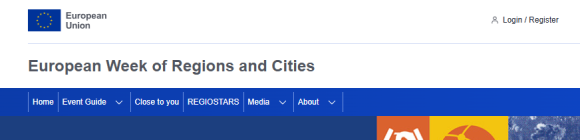
Sign in with your EU Login (or create an account if you don’t have one) with two-factor authentication.
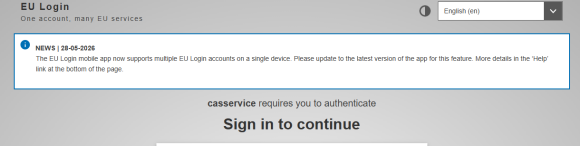
Instructions for creating, managing and using your EU Login account
More information about two-factor authentication
It is not recommended to use the eID option as it can cause technical problems with your account.
My profile
You will be redirected to your profile page. Complete your profile and save it.
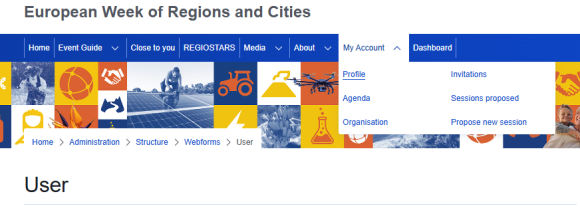
Important: You must complete your ID details to register to a session. Valid ID details are mandatory to be able to access the event venue.
General conditions
You must agree with the conditions to be able to register.
Register to the sessions
The list of sessions can be found in the Programme tab on the main menu bar.
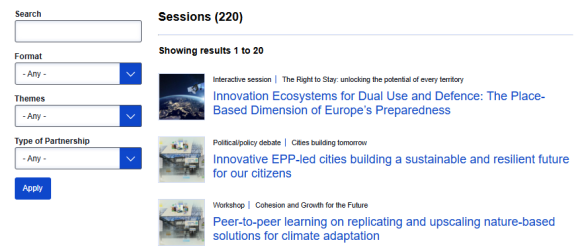
Select the session you wish to attend and click on the yellow button that says Register.
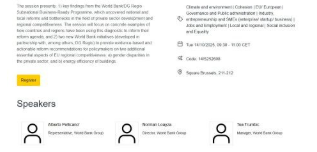
The platform does not allow you to register to two sessions that take place at the same time.
Verify your registration
You can check and modify your registrations in Agenda tab via the My Account tab on the main menu bar.
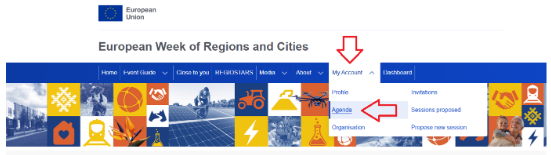
My agenda provides a complete overview of what you will participate in, where and when during the event.
This page displays:
- Sessions you have registered for as “participant”. You can unregister from any session directly on this page.
- Sessions for which you are the coordinator. You will not be able to remove these sessions from your agenda.
- Sessions where you are appointed as a speaker or moderator. You cannot unregister from these sessions. If you can no longer attend, please inform your session’s coordinator at earliest conveyance.
- The agenda displays your sessions in chronological order, helping you better manage your free time between them during the event.
- The system allows you to export your sessions to your personal calendar (google, outlook, etc.) making it easy to integrate with your work schedule.
- Registrations to the EURegionsWeek close to you sessions are handled through the coordinators’ website. These sessions will not appear in My Agenda.
EU Login
The European Week of Regions and Cities website requires EU Login.
EU Login is the central user authentication service of the European institutions, bodies, and agencies. It allows users to access a wide range of EU resources, including websites, applications, and services, using a single account.
Contact and Help
For further information please consult
or contact the EU Login team at: EU-LOGIN-EXTERNAL-SUPPORT@ec.europa.eu
Access Badge
Your personal badge provides access to the different event venues and to the sessions you have registered for. To review your registered sessions, please check the Agenda section on the event platform.
How to get your badge?
A few days before the event, you will receive a QR code by email.
Upon arrival, have your ID and QR code ready for scanning at the entrance. Please arrive early in case of queues.
Once admitted to the venue, print your personal badge at the kiosk by scanning your QR code.