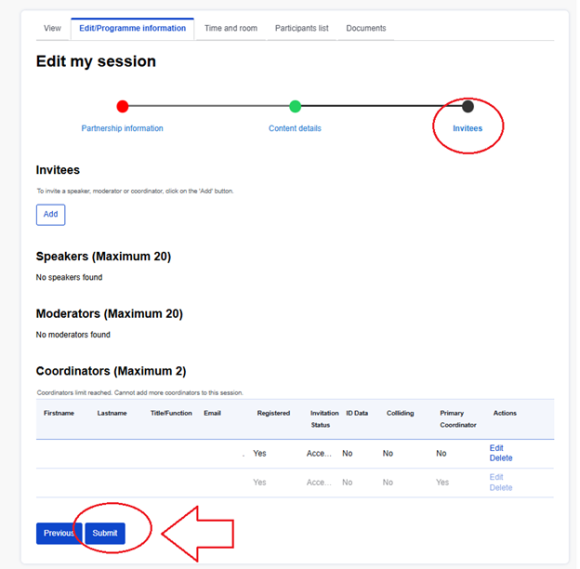
Only coordinators included in the platform can have edit rights. In case you are unsure who is coordinator of your session, please contact the Secretariat.
Back up coordinator must first accept their invitation in order to have edit right. To accept the invitation please follow the instructions available in another section of this guide.
Follow the below instructions to edit your session and / or to invite speakers / moderators or replace coordinators:
- Log in to your account
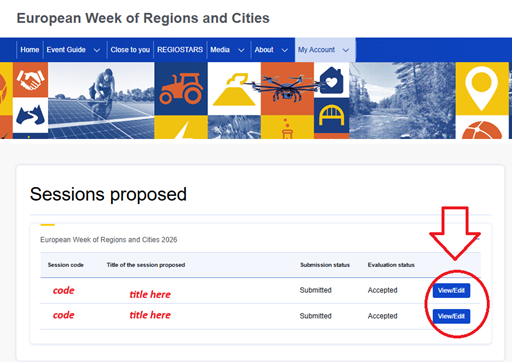
- Hover over ‘My account’ and click on ‘Sessions proposed’

- Click on ‘View/Edit’ blue action button next to your sessions’ title
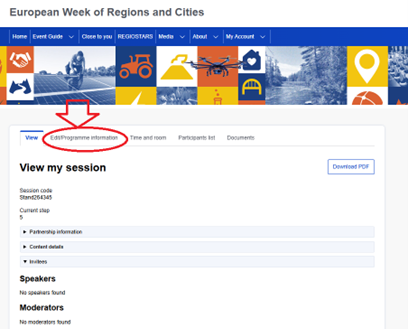
- Click on second tab ‘Edit’
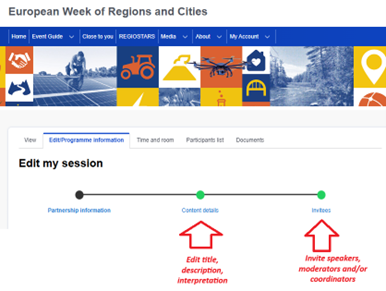
- Click on ‘Content details’ to edit your sessions’ title, description and/or add interpretation languages.
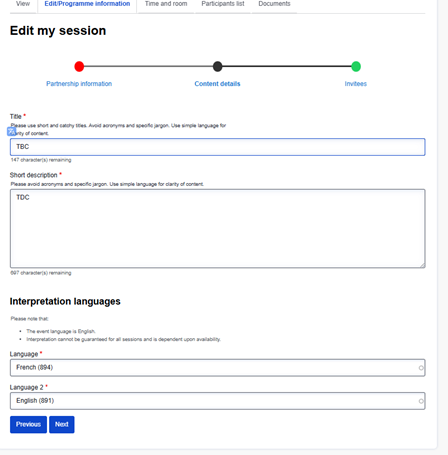
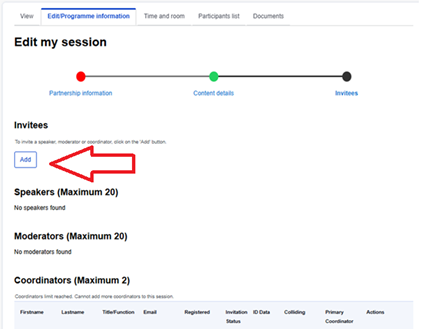
- Click on ‘Invitees’ to invite speakers, moderators, coordinators – click on ‘ADD’ button
- Fill in mandatory fields (first and last names, email, member of CoR), tick ‘send invitation email’ and click SUBMIT.
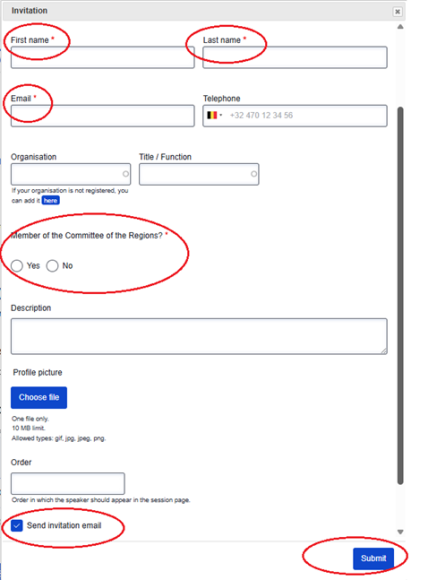
Remember, your changes are not complete until you press the final Submit button!